Tego is open source
Tego runs your AI agent under rules enforced from outside it, and its source is now public on GitHub under Apache-2.0. Since 4 November, v0.1.0 installs with one command on Linux, or in a small Linux VM on a Mac or Windows PC. The latest release is v0.1.3.
You write the rules. The Linux kernel and Tego's supervisor, a process outside the agent, enforce them: Tego refuses what the rules rule out (files, programs, network hosts), can pause a file open or a connection until you answer, and keeps a record of each run. Its first release is v0.1.0, and versions stay at 0.y.z until 1.0. For the commands alone, see Get started with Tego.
Why Tego exists
An AI agent runs as you, next to your SSH keys, your cloud credentials and your network. A mistake, or a prompt injection hidden in a file or issue the agent reads, can reach all of them.
A rule written as an instruction, such as a line in CLAUDE.md or AGENTS.md, holds only while the agent follows it. Tego keeps the rules outside the agent. In the README's words: "a prompt-injected or mistaken agent cannot talk its way past them." A refused move fails with an ordinary error (why that matters).
Tego doesn't need to know which agent it runs, and it never calls a model itself. No AI inside Tego decides what is allowed.
What it does
You write a contract, a YAML file usually called agent.yaml, that says what the agent may write, run and connect to. tego init starts one from presets, tego compile prints its rules before anything runs, and tego learn proposes one from a finished run.
- Rules outside the agent. The kernel refuses writes and programs the contract leaves out. Network hosts are decided by the supervisor at Basic and by the kernel at Plus and Max.
- Ask first. An
askrule on a file or a connection holds it until you allow or deny it, withtego approve,tego denyor the dashboard. - A record you can check. Every run writes a hash-chained record, where each line seals the one before.
tego receiptandtego eventsread it, andtego events <run> --verifychecks it (how it works). - Run limits. A run past its limits (tokens, cost, time, stall, repeats) ends with exit code 124.
- Watch any command.
tego watchruns a command as a black box and records it. - A local dashboard.
tego serve --openshows runs, refusals and waiting requests on127.0.0.1, for one person on their own machine. - Nothing sent home. No telemetry, no update check, no crash reports.
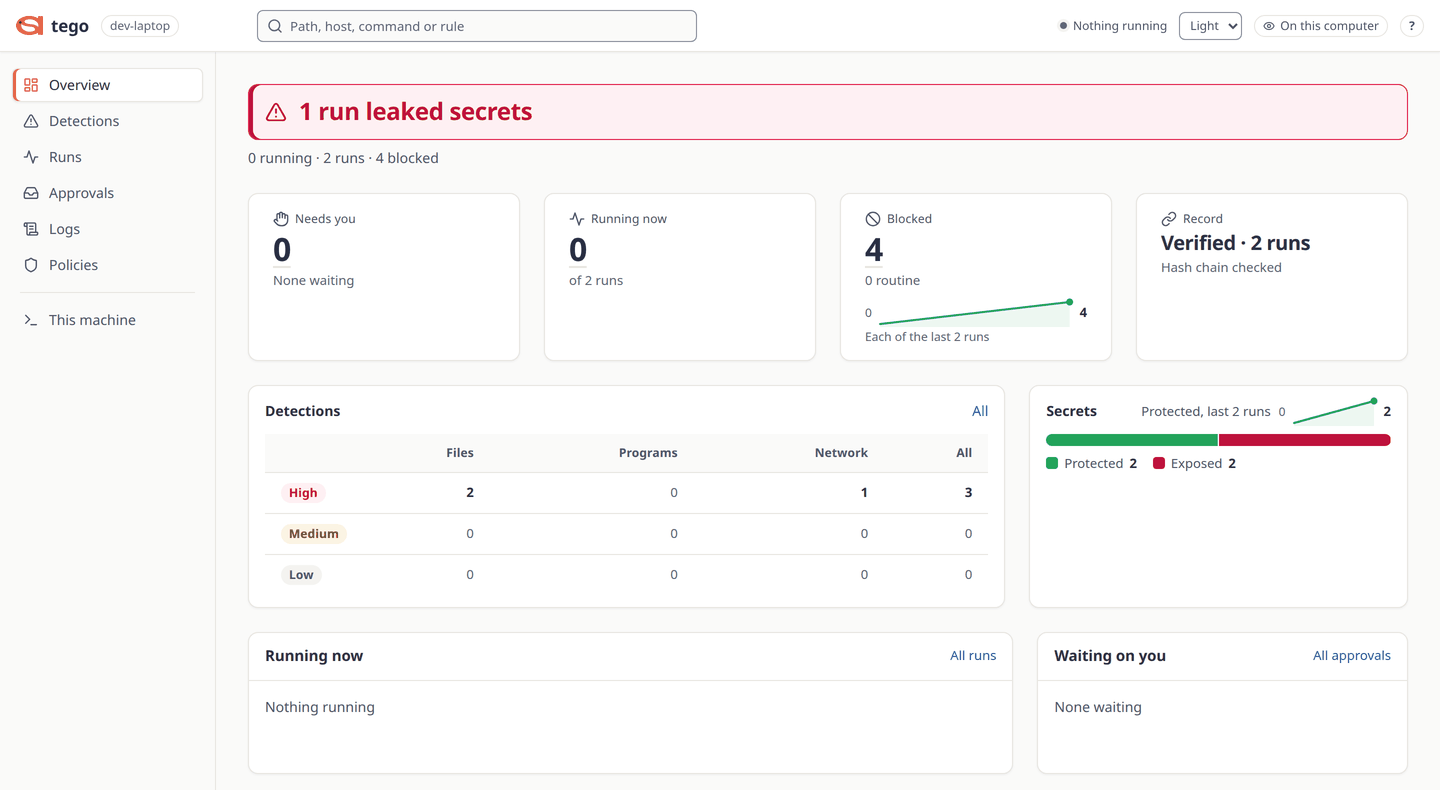
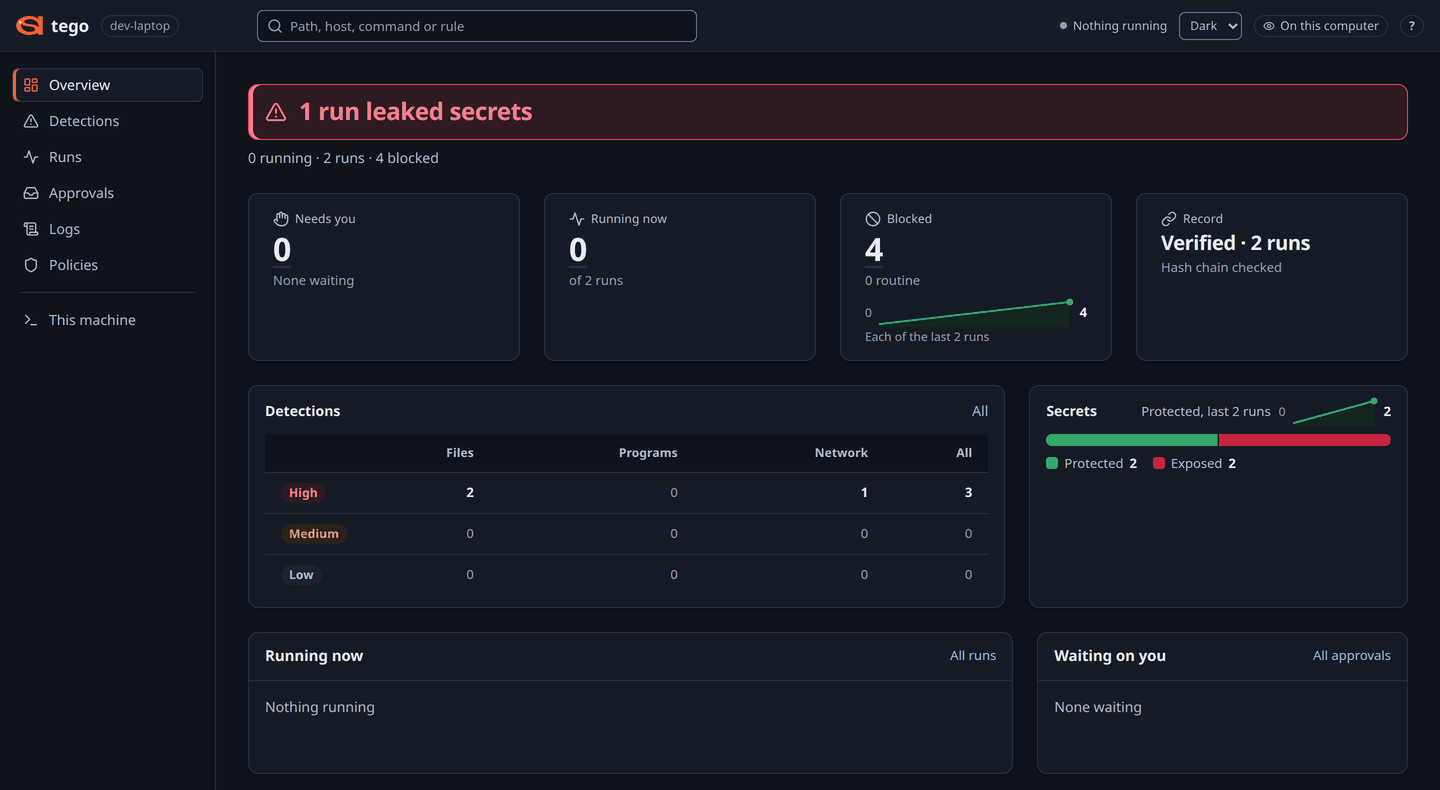
tego serve --open: its Overview says what needs you first, then the runs, the blocked actions and the record check. It has a light and a dark theme, and this picture follows the theme you read in.How strongly the kernel enforces a contract depends on its protection level, and tego doctor says which one your machine gets.
- Basic (tier 1,
landlock): no root. Needs Landlock ABI 2 or newer (Linux 5.19 or later, or RHEL 9's 5.14) and cgroup v2 delegated to your user. Records programs, writes and connections, but not reads. - Plus (tier 2,
cgroup): root, with BPF, BTF and cgroup v2. The kernel records reads too. - Max (tier 3,
bpflsm): root, andbpfin the kernel's boot list of security modules. Plus, with decisions made in the kernel's security hooks.
Protection levels has the details, including the one boot line Ubuntu needs for Max.
What it doesn't do
The full list, with what to do about each item, is in docs/GAPS.md.
- It limits only what the contract names. With no
net:section every destination is reachable; with noexec:section every program runs. - It doesn't hide the machine. The agent can read any path not in
deny_read. A built-in list covers SSH keys, cloud credentials, token stores and.envfiles, with gaps the docs state. - Every allowed host is a way out. Rules match
host:port, not what a connection carries. - An allowed program can do anything in its own memory. If
pythonmay run, Python can do anything Python can do. - At Basic some rules are best effort. The supervisor decides command rules and
deny_writetargets in user space. - Basic doesn't record reads by default. A refused read is still refused, but leaves no line unless the contract sets
record: fullorreason.reads: on. - The record resists the agent, not the person who started the run.
No external review of Tego's trusted code has been done yet, and the repository says so. Security and known limits goes through each item, and Five ways to sandbox an AI agent sets them beside the other options.
Where it runs
Linux, amd64 or arm64. Basic works out of the box on Linux 6.1 or later from a desktop login, Ubuntu 24.04 included, and on RHEL 9. Ubuntu 22.04's stock 5.15 kernel has Landlock ABI 1, so no level runs on it.
There is no native macOS or Windows build. On a Mac you run Tego in a Lima VM, and on Windows in WSL2, with the same one-command installer inside. Tego's Mac VM has booted on an Apple silicon Mac, but the Mac path is not fully tested yet, and the Windows path has not been run on a real PC. The macOS and Windows guides and Run Tego on a Mac or Windows PC say what to expect.
Try it
Install it, then check the machine and watch Tego refuse four harmless actions on decoy files. tego test needs no root and touches nothing of yours. To build from source instead, see Build from source.
curl -fsSL https://github.com/Attention-Span-AI/Tego/releases/latest/download/install.sh | sh
tego doctor
tego test
On a fresh Ubuntu 24.04, the repository's quickstart shows tego test printing:
Tego self-check: 4 actions, 4 refused at tier landlock
| ACTION | WITHOUT TEGO | UNDER TEGO | REFUSAL |
|---|---|---|---|
| read a fake SSH key in a fake home | succeeded | refused | read-denied: fs.deny_read[<tmp>/work/home/.ssh/] |
| write a file outside the project's writable folder | succeeded | refused | write-outside-contract: no entry of the contract allows it |
| run a program the contract does not list | succeeded | refused | exec-not-allowed: no entry of the contract allows it |
| connect to a local port the contract does not allow | succeeded | refused | net-not-allowed: no entry of the contract allows it |
Each action works on this machine without Tego, and Tego refused and recorded every one.
The actions ran on decoys in a temporary folder, removed now, and the four runs' records went there too.
Next, write a small contract from two presets, read its rules, run it and print what the record says (Your first Tego run explains each step):
mkdir demo && cd demo
tego init --preset no-secrets,repo-only-writes --write ./out
tego compile agent.yaml
tego run agent.yaml
tego receipt --lastRun a real agent
examples/agents holds ready contracts for Claude Code, OpenAI Codex, the Claude Agent SDK, the Anthropic Python SDK and an agent of your own. Keep your copy outside the project the agent works in (a contract the agent could rewrite is refused), and make any changes its header asks for. This page was built with the latest release, v0.1.3; the installer may now fetch a newer release. If tego version shows a different release, use that release's tag for the contracts instead.
mkdir -p ~/contracts
curl -fsSL -o ~/contracts/claude-code-interactive.yaml \
  https://raw.githubusercontent.com/Attention-Span-AI/Tego/v0.1.3/examples/agents/claude-code-interactive.yaml
cd ~/my-project && mkdir -p .claude-state/tmp
tego run ~/contracts/claude-code-interactive.yaml -- claude --version
No user-id edit is needed for Claude Code. Run it from your project, since the agent may write the folder it starts in. Lock down Claude Code on Linux covers the private runtime directory this contract needs, then sign-in and a real session. Run Claude Code and Codex under Tego covers both agents.
Note
The automated tests use stand-in agents, not live Claude Code or Codex, which change on their own schedule. Try a new agent version under tego watch first.
What's in the repository
The engine, the tego command, the three protection levels, the dashboard and the kernel programs. Specs come before code: docs/p0/ per engine part, spec/ for the versioned formats, docs/adr/ for decisions. The documentation map has a glossary.
The code is Apache-2.0. The kernel programs under bpf/ are dual GPL-2.0-only / BSD-2-Clause.
Contribute or report a security problem
CONTRIBUTING.md is the short version. You need Linux, Go 1.27, make and golangci-lint:
git clone https://github.com/Attention-Span-AI/Tego
cd Tego
make build
go test -count=1 ./internal/cli/...
make lint
Sign off commits under the Developer Certificate of Origin with git commit -s. One rule shapes the project: no model calls anywhere in the repository. Everyone follows the Code of Conduct, adapted from the Contributor Covenant 2.1.
Report a vulnerability through Report a vulnerability on the Security tab, not a public issue. Include tego version, tego doctor, your kernel and distribution, and a contract that reproduces it with secrets removed. There is no promised response time; the security policy says what's in scope.
Then run tego test on your own machine, and read what Tego can't stop before you point it at real work.
Read next
Lock down Claude Code on Linux in seven steps
Run Claude Code under Tego, step by step.
Five ways to sandbox an AI agent
Sandboxes, containers, VMs and Tego, compared.
An agent deleted production in nine seconds
Strict rules refuse key steps